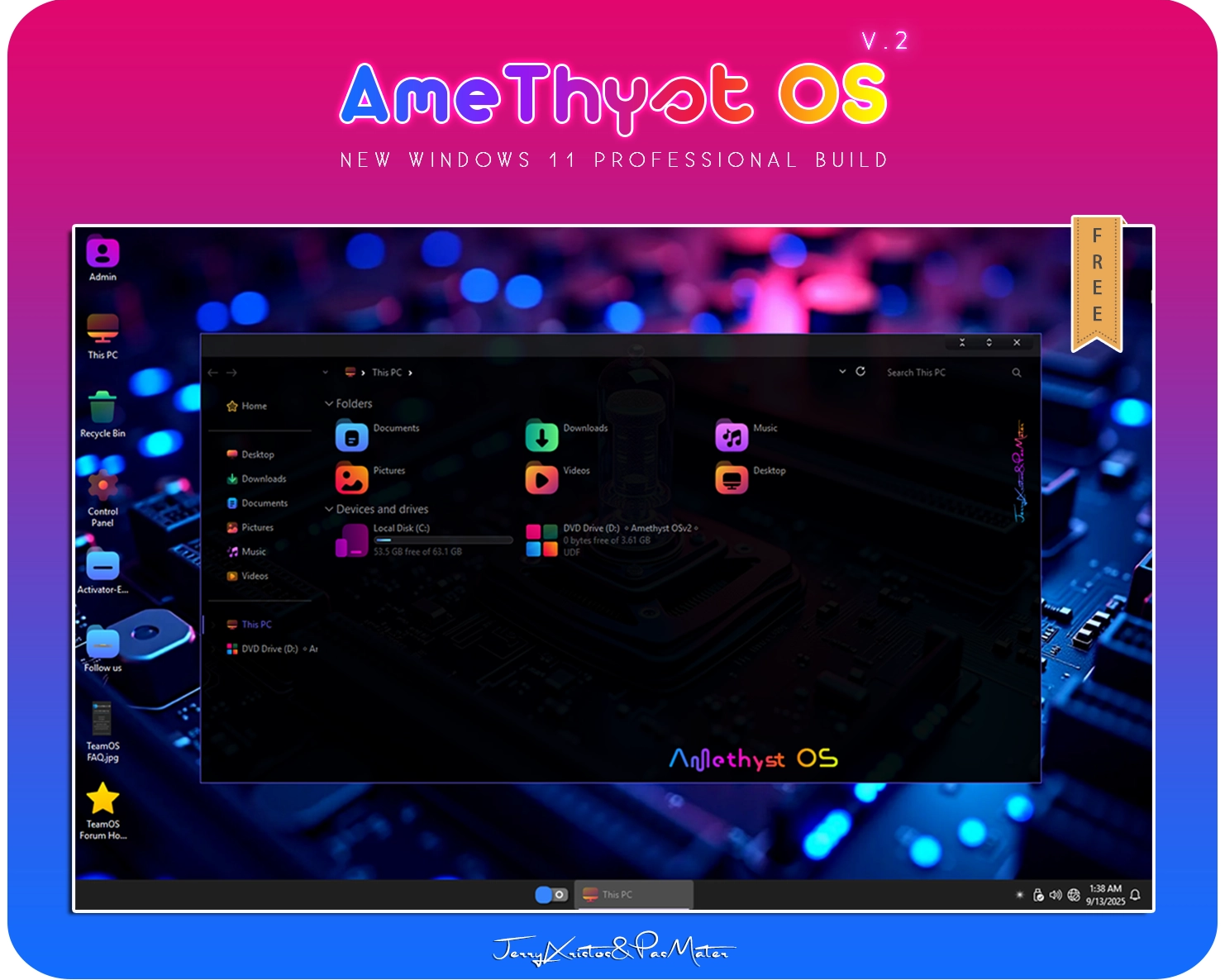
AmeThyst OS v.2 – Windows 11 Pro v24H2 Build 26100.5074
This build is made for every day use and not only…………..
Its the second version of Amethyst OS but in a lighter version……………
No cumulative updates….. This build is made by @PasMater and me…………
Run it first in a VM and if you are happy, install it in a live system Hope you enjoy this release…………….
General Info:
OS Build: Windows 11 Pro (24H2) Build: 26100.5074
Arch: x64
Compression: esd
Language: English Language (during installation)
Size: 2.8GB
Author: Jerry Xristos & PasMater
Treatment: Windows activated
Use medicine at desktop if needed Don’t INSTALL this build in any other language except English
Ankh Tech Windows Boot Lite is used in this build
Basic Collection of Professional Programs, that are Activated and Ready for Usage To Help in your Work as a Technician
Take and Restore Backups, Test Your PC/Laptop Hardware
Do disk management tasks, Move Files Manage your files before installing the windows
You can access all the programs from the start menu
💎Removed features💎
Most of windows bloatware apps
Application Virtualization (App-V)
Assigned Access
Assigned Access Lock app
Auto-Rotation Manager
AutoPlay
BranchCache Client
Cache and temp files
CEIP
Cellular Time
Cloud Desktop
Cloud Notifications
Cross Device Experience Host
Data Center Bridging (DCB)
Declared Configuration (DC) service
Desktop Activity Moderator (DAM)
Desktop image downloader
Dev Home
Device Experience
Device Update Center
Device Picker
Device Lockdown (Embedded Experience)
Device Region Maintenance
DirectX WARP JIT Service
DVD Play
Easy Transfer
Embedded Mode
Enhanced Storage
Enterprise App Management Service
Enterprise Data Protection
Exchange ActiveSync (EAS)
Face Recognition
Feedback Hub
File Server Resource Manager
First-logon animation
Folder Redirection
Floppy disk
Fonts (some of them)
Eye Control
Help file support (CHM)
Host Bus Adapter
Internet Information Server (IIS)
Internet Authentication Service (IAS)
IPsec Policy Agent
Input Method Editor (IME)
Kernel Debugging
Live Captions
Location notifications
Map Control
Manual Setup
Messaging Service
Microsoft Edge
Microsoft Family
Microsoft Sync Framework
Microsoft Privacy Engine
MMGA MAPI
Mobile PC
MultiPoint Connector
Natural Authentication
Natural Language – Legacy
Narrator
Network Projection
Network Adapter Multiplexor Protocol
Near Field Communication (NFC)
NDIS Packet Capturing
NFS Administrative Tools
NTVDM 16 bit subsystem
Offline Files
Payments
Picture password
Packet Monitor
Point of Service (POS)
Private Character Editor
Projected File System (ProjFS)
Quality of Service Packet Scheduler (QoS)
ReadyBoost
Reliability Analysis Services
Remote Access Service Client Tools
Remote Differential Compression (RDC)
Remote Procedure Call (RPC) Locator
Retail Demo Content
Rights Management support
Routing and Remote Access Service
Screen Magnifier
Sensors
Shared modem settings
Shared PC mode
Simple TCP/IP services
Sleep Study
SMB Direct (RDMA)
Speech TTS
Spell Checking
Steps Recorder
Support directory
Sync Center
Table Text Service
Tablet PC
Telemetry Client
Text prediction
TFTP client
Time Travel Debugger (TTD)
TV Tuner codecs and support
Universal Print Management Service
Unix socket (AF_UNIX)
Wallet Service
Windows Barcode Preview
Windows Copilot (Windows Feature Experience Pack)
Windows Defender
Wi-Fi Network Manager (Wi-Fi Sense)
Windows Connect Now (WCN)
Windows Disc Image Burning Tool
Windows Search
Windows Shell Experience
Windows Sound Recorder
Windows TIFF IFilter (OCR)
Windows Local Administrator Password Solution(LAPS)
Windows Push Notifications Service (System)
Windows Remote Management (WS-Management)
Windows Web Experience Pack
Windows Help content
Windows Mixed Reality
Work Folders Client
WinSxS is cleared💎Build Informations💎
Nothing to do during installation
Microsoft accound bypassed
Power Plan set to High Perfrmance
Windows Image Viewer is set as default
Tweaks applied for extreme performance, Responsiveness, and Resource Savings in all sections
Tất cả các bản dựng trên website được sưu tầm từ nhiều nguồn khác nhau, vì thế khi sử dụng bạn cần kiểm tra qua máy ảo trước khi sử dụng, để tránh rủi ro.
Để tải file dạng Torrent vui lòng dùng Cốc Cốc để mở file torrent để download file.
Để download các file nhanh từ các trang download như Uploadrar, Sendcm. Terabox bạn nên đăng ký tài khoản miễn phí để bỏ qua giới hạn về băng thông tải.
"Các phần mềm tải về chỉ để dùng thử / giáo dục và phi thương mại."
"Nếu bạn thích phần mềm này, vui lòng mua Giấy phép Chính hãng từ Trang web Chính thức."
Vui lòng tắt các công cụ chặn quảng cáo để có thể download được file từ trang download.
Rất mong bạn thông cảm, quảng cáo là nguồn thu duy nhất của website để hoạt động, vì thế mong bạn thông cảm khi sử dụng website có quảng cáo.
Để ủng hộ website bạn có thể Donate ủng hộ ly cafe hoặc mua các sản phẩm trên trang https://minhpc.com để ủng hộ.




 General Info:


